Cool@Hoole

Newly Online: C. H. Miller Store Records

The C H. Miller Store Records collection contains the records of a general store in Marengo County, Alabama, from 1891-1908. The collections consists of ledgers, daybooks, correspondence, and miscellaneous materials from Miller’s business. These records offer an opportunity to see how a business was run over a century ago, as well as the prices of goods at that time.  Pictured is a sample page of one of the ledgers, listing the goods purchased by one family, together with the price of each.

Happy Independence Day!

This Independence Day, we are celebrating by taking a look at some of our patriotic sheet music. The image displayed here is from “Grand Festival March,” which was composed to commemorate the centennial celebration of the signing of the Declaration of Independence in 1876. If you like this piece of sheet music, you might enjoy looking at more in the Alabama Sheet Music Collection, the Wade Hall Collection of Southern History and Culture Sheet Music, or the Confederate Imprints Collection Sheet Music.

Alabama’s Storyteller, Kathryn Tucker Windham

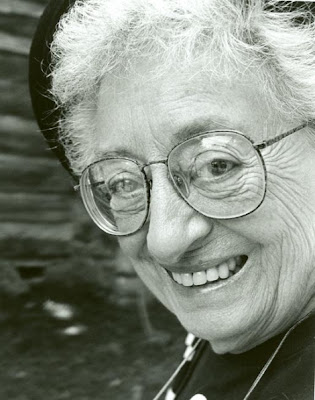
We recently said goodbye to renowned storyteller, author, photographer, and radio personality, Kathryn Tucker Windham. She will be greatly missed, but she will live on in our hearts and through her stories. The Hoole Library houses over twenty different works, including sound and video recordings as part of our Alabama Collection.

Born in Selma, Alabama and raised in Thomasville, Ms. Windham inherited her gift of storytelling from her father, a local banker, at a very young age. From early on, she also showed a keen interest in writing. At the tender age of twelve, she began writing movie reviews for the Thomasville Times.

Her career as a reporter would continue to grow, and she began to work as a freelance journalist in Thomasville after graduating from Montgomery’s Huntingdon College in 1939.Windham became a police reporter and features writer for Montgomery’s Alabama Journal. Her work as a reporter in a very masculine profession was groundbreaking and inspiring to women writers all over Alabama and beyond.

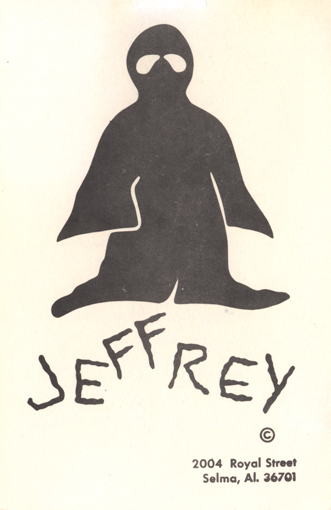
Ms. Windham also had a lifetime love of photography, a passion and talent she put to use as a courthouse reporter and editor for the Birmingham News. Later, she would begin publishing books of her photographs and including them in works.She is well known for many, many things, but many think of her 13 Alabama Ghosts and Jeffrey when they think of her. Everyone loves her ghost stories. Inspired by an inquiry about “Jeffrey,” a friendly ghost residing in the Windham’s home in Selma, Windham began a series of collections of ghost stories, the first being 13 Alabama Ghosts and Jeffrey, published in 1969.She followed up with collections of ghost stories from Georgia, Mississippi, Tennessee, more Alabama ghosts, and Southern ghosts.

She has been featured as a teller at the National Storytelling Festival in Jonesborough, Tennessee over twelve times.She authored a book, My Name is Julia and created a one-woman play of the same name, which she performed in period costume about another great Alabamian, Julia Tutwiler. The play was debuted at the Birmingham Public Library in 1981.

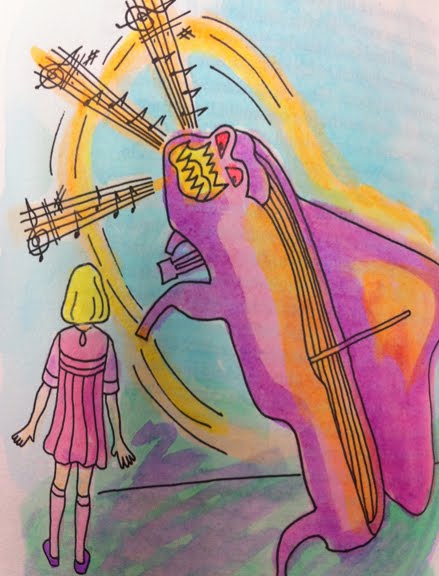
There is a special place in my heart for Kathryn Tucker Windham — as her stories were the foundation for the first major exhibition I did at the W.S. Hoole Special Collections Library. In Fall, 2000, just after coming to The University of Alabama, I worked with MFA candidate in the Book Arts, Suzanne Gray, on her MFA Thesis exhibition, Piano Lessons and Other Recollections, a book of stories by Ms. Windham, which was printed, illustrated, and bound by Suzanne Gray as her thesis project. The exhibit featured Suzanne’s work as well as a selection of Ms. Windham’s books, and included a tombstone pinata which I keep in my office to remind me of that exhibit and the opening.
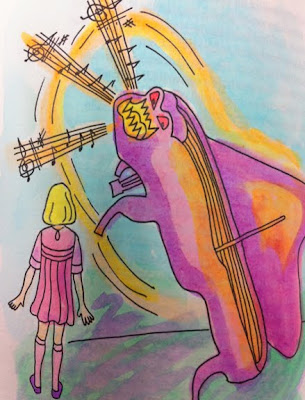
Detail from Piano Lessons and other Recollections, stories from Kathryn Tucker Windham
Major Tiara Press, 2000. From the Hoole Library Book Arts Collection
Prefaces by Lori Allen Siegelman and Suzanne Gray.
This book was letterpress printed by Suzanne Gray from photopolymer plates and lead types on Frankfurt paper using Adobe Garamond and Garamond Italic typefaces. … Twenty-six of the 125 copies are bradel bound with hand-colored illustrations and are in protective containers. They are lettered A to Z. Ninety-nine copies are quarter-cloth bound and numbered 1 to 99.
Illustrations by the printer; decorative papers by the printer and Suzanne Moore.

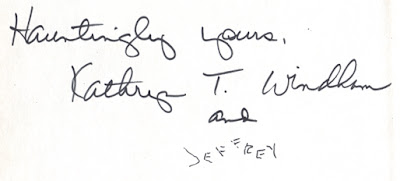
Students, scholars, and storytellers alike will return to Ms. Windham’s stories and books. They are here for you to enjoy! I like to think that maybe Kathryn Tucker Windham herself is here with us sometimes — I’d love nothing better to catch a glimpse of her and Jeffrey in the stacks, making mischief. She of all people, would appreciate that notion — inscribing her books to her legions of fans, young and old, like this:
 

Newly Online: The O. E. Bruce, Jr., Letters

The O. E. Bruce, Jr., Letters contains correspondence from Private O.E. Bruce, Jr., to his parents while he was serving state side during World War II. Most letters are written on government stationery from Camp Wheeler, Georgia. He informs his parents about the harsh conditions, the injuries of others, and the dangers of serving in the Army. He writes about how he is constantly busy and tired, and his superiors make them do drills at night. He writes his parents of his wife Genevieve’s visit to him. He is injured while serving and put in the hospital, postponing a trip home he was looking forward to.

This collection consists of 96 items and is an interesting look into the life of a soldier during World War II.

Complete Joshua Hill Foster papers now online!

This past school year, we had an awesome Graduate Assistant, Sarah, who scanned the Joshua Hill Foster papers in their entirety! In addition to the scanning, Sarah also had an active role in performing quality control tasks on the scans and uploading the items to Acumen. We really enjoyed having Sarah work with us and we wish her luck as she continues on with her M.L.I.S. degree.

We have been adding to this collection in Acumen throughout the year, but now the entire collection is available. We utilized our “Mass Content” digitization method for this collection, which means rather than creating item-level metadata for the collection, we have instead presented the collection through links in the EAD finding aid. You may remember us discussing this delivery method in an earlier blog post.

For a little background on the collection itself, Joshua Hill Foster was an Alabama graduate in the mid 19th century, obtaining bachelors and masters degrees in mathematics. He was a Baptist minister and a planter in addition being the president of Alabama Central Female College in Tuscaloosa from 1873-1904. Foster also taught moral philosophy, natural philosophy, and astronomy at the University of Alabama from 1873-1904.

Notable items in the collection include a history of the Foster family going back to the first of the family to come to the United States 1700s, items related to his work at the University of Alabama and Tuskaloosa Baptist Church, and over 300 sermons, divided by the scripture passages they cover. The finding aid, containing links to every item in the collection can be found in Acumen.

Happy Memorial Day!

In honor of Memorial Day, we are highlighting one of our collections that features our veterans, the Tuscaloosa, Alabama, Service Men’s Center Scrapbook.  This volume contains photographs, letters, greeting cards, newspaper clippings, activity programs, and other items relating to the Tuscaloosa Service Men’s Center for soldiers during World War II.

The Center existed to provide recreational and social life for service men and women who were temporarily in the area. These soldiers may have been home on leave or passing through the area by bus or train. Activities at the Center included meals, dances, games, and concerts.

The Center was run female hostesses, including some University of Alabama students.  For a time, the Center was located at the Governor’s Mansion, at the corner of University Boulevard and Queen City Avenue, which now houses the University Club.

In addition to soldiers passing through Tuscaloosa, the Center also sought to meet the recreational needs of Northington General Hospital, located in Tuscaloosa on McFarland Boulevard where University Mall now stands. This was a U.S. Army hospital that opened in 1943, and was the second largest Army hospital in the United States at the time.

In addition to items relating to the center itself, this scrapbook contains letters from soldiers who visited there and various books and pamphlets relating to soldiers during World War II. Included is the June 30, 1944, edition of “Yank: The Army Weekly” magazine which provides insight into soldiers’ daily life.

“Yank: The Army Weekly”

This is one of several items within the scrapbook that serve as a guide to military ribbons, medals, and patches fromt he World War II era

Many other items of interest like the above guide to military ribbons, medals, and patches, can be found in this nearly 1,000 page scrapbook, which can be used in its entirety in Acumen. Set aside some time to explore it!


Acumen FINALLY available open source!!

The long-awaited day has finally arrived.  After many trials and tribulations, we have at long last released Acumen Digital Library Software open source!!!

This software is light-weight, easy to install (intended for Linux or OSX), easy to use, and it does *not* require munging your XML metadata into some software-specific form.  You can load multiple kinds of content into it  — finding aids in EAD, images with simple Dublin Core, TEI transcribed documents,  audio with XML play lists, any kind of digital content you want with your OWN form of XML metadata.

You can have Acumen index content all together from multiple sites!!  Thus this is an option for those wanting to set up state-wide digitization projects — or wanting to move away from CONTENTdm multi-site server software.   Just include the base of the web-accessible directories in the configuration file.

The file naming is the key to organization and to delivery.  But besides that — you can add, remove, change content at will in the web directory where you put it, and Acumen will automatically update the display during the next round of indexing.

How easy can it get?  Acumen.  Finally out there free!!! 🙂


But… what if I have lots of Fred Jones letters?

Or… what if I have Fred Jones Letters in different collections?

Or… what if I have Fred Jones photographs, letters, audio tapes and more?

The way we deal with this is to identify the item within a collection by an incremental number.  After all — the letter could be from Fred or to Fred;  it could have been sent on this date or that;  it could be categorized as a legal document, a love letter, a receipt — there’s all kinds of ways to categorize things.

So, we decided to put in the file name only the information we need in order to manage the files.  We depend on the metadata (descriptive information) to let the user decide (via search/browse/retrieval ) what’s important to him or her.

We do the same with collections:  we’ve found that even our collection names get corrected or modified from time to time, and we even have a couple of collections ( u3_298 and u3_1328) with the same name!  Now tell me that’s not confusing!  So, our collections all have numbers.  When possible, they reflect the collection number assigned by the archivists to the physical (analog) content… so Manuscript collection # 212 becomes digital collection #212 within the manuscript type of content.

One of the cool things about Acumen is that if the collection number is in the file name, it will automatically group content for the collection together.

And if the type of material is in the file name, Acumen will group types of content together.

Acumen is pretty cool about making sense of your archive by inferring relationships based on file names.  It makes life a lot easier.

If you look at our entry page, you’ll see tabs across the top for audio, books, finding aids, images, manuscript materials, sheet music, and more.  That’s what I mean by types.

  • In a file name, the first segment before an underscore indicates the type of material (you decide what!);
  • the second segment indicates the collection number (your metadata tells Acumen what collection it is);
  • the third segment is the item number;
  • and if there’s multiple pages, then page numbers are the 4th segment.
  • We even have a 5th segment for subpages, such as fold-outs, inserts, close-ups of images in scrapbooks and such.

An example:  u4_2_19_3.jpg  could be interpreted as:

  • belonging to type “sheet music”  (u4, where the u indicates it’s university property or whatever),
  • a member of collection # 2 (the description of which will be found in the XML metadata named with the number u4_2),
  • and this is part of the 19th item (19)
  • and it is the image (JPG) of the 3rd page of the item (3).

So what Acumen does is parse the segments of a file name to figure out the order of pages and items for delivery, what composes an intellectual item (like a letter or photo or book), what collection something belongs to, and what type of material the item is.

All from the file name.  Now isn’t that cool?

You can read more about all this in an online chapter in Digitization in the Real World, called “From Confusion and Chaos to Clarity and Hope:  Reorganization of Work Flows, Processes, and Delivery for Digital Libraries”.

How does this Acumen thing work?

Acumen is our digital library delivery software… which is in the process of going live as open sourceTonio Loewald is the developer, and we published an article about Acumen in Code4Lib last year, which will contain more detail than this blog entry…

But:  once it’s installed, what do I have to do to get stuff in and out of it?

(We’re going to assume that during installation, at least one web-accessible directory was specified in the configuration file, and the automatic indexer was started.)

It’s very simple.

  1. Make sure your XML metadata has the same base file name as your digital content.  (For example, if you have a 3-page letter, and the image files are named:  FredJones_001.jpg, FredJones_002.jpg, FredJones_003.jpg, then your metadata would be something like FredJones.xml or FredJones.mods.xml.  This latter method allows for multiple types of XML metadata.)
  2. Place your digital content and metadata into one of the web-accessible directories in the path of the indexer (set in the config file above).
  3. Wait for the indexer (we have over 55K items in our repository, so it takes about 13 hours for ours to index right now) or use the admin web interface to Acumen to index your directories immediately.

That’s it!  Your content is online.

If you don’t like the metadata (descriptive information) display, then alter the XSLT for your type of metadata in the templates directory of the software (we have one for MODS, one for EAD, one for our local metadata scheme, others for OAI Dublin Core delivery).

Your digital content remains unmodified in the web directory, and you can remove it, copy it, or modify it at any time, without going through the delivery software.

Isn’t that cool?

And wasn’t that easy?

By using this system, we speed delivery of content to the web.  We have developed scripts that load newly digitized content into the Acumen web directories as soon as they’re ready.

We also have scripts to extract JPG files out of archival TIFFs, MP3s out of WAV files, to collect OCR from text-based images, and more… all using open source software (ImageMagick, LAME, Tesseract-OCR).

And our scripts are available open source as well… from our wiki.

Now tell me that’s not cool.  🙂

Acumen. Free for the taking. Now wasn’t that worth the wait?

Getting large manuscript collections online cheaply

A major impediment to digitizing large manuscript collections is  the cost of item-level descriptions, to provide access to the content.

Recently we completed an NHPRC-funded project which demonstrates a proposed solution to that problem:  The Septimus D. Cabaniss Papers collection.

This collection (which concerns an attempt to free slaves via the final will of the owner) is dependent upon excellent finding aid descriptions to provide access to the content via searching.  The digitized items are linked (by script) into the finding aid, under the folder which describes them.

Minimal metadata is created for each intellectual item, using a boilerplate, a script, and the file names themselves.  The latter incorporate box and folder number, as well as item sequence within the folder.

By doing this, we enable access to each item separately, and also pave the way for metadata remediation in the future, and/or item tagging by users.

While we are delivering this (and similarly digitized collections) via the Acumen software, this is not required.  We also developed support for delivery of content at folder and/or item level outside of any existing EAD delivery system.

You can read more about this on our wiki.  Our entire project, including the oversight, consultants, and usability study, cost us about $1.50 per scan.   Now that  the software is developed, it’s much cheaper.  🙂